Written by:
Stay updated with Roku Advertising.
You don’t need a big-brand budget to get started with Roku Ads Manager. Streaming has made TV advertising more accessible than ever, giving marketers the ability to test, learn, and scale without locking themselves into massive commitments. Below, we’ll break down realistic budget expectations, how Roku pricing works, and what it takes to launch your first campaign.
Misconception: TV ads are only for scaled brands
For decades, TV advertising was accessible mostly to large advertisers with the resources to work through agencies, commit to large upfront buys, and produce polished, broadcast-quality commercials that cost upwards of $10,000. The process was expensive, slow, and full of gatekeepers..
It’s understandable that many marketers assume streaming TV ads require the same level of investment. But that assumption is rooted in how TV used to work, not how it works today.
Reality: get started with existing creative and as little as $500
With streaming TV, the old rules no longer apply. Platforms like Roku Ads Manager have removed the upfront commitments and long lead times that once made TV inaccessible. Instead of negotiating buys months in advance, brands can set their own budgets, launch quickly using existing video assets, and scale based on what’s working, much like they already do with search and social.
For most first-time advertisers, $500–$1,000 is enough to get a campaign live and begin generating meaningful data on which audiences are engaging and which creative is resonating. The goal isn’t perfection out of the gate. It’s to start small, learn fast, and scale with confidence once performance insights begin to emerge. How budgeting and pricing work on Roku Ads Manager
Roku Ads Manager uses a CPM pricing model, meaning you pay based on how often your ad is shown. Pricing is dynamic, adjusting based on factors like audience demand and available inventory, rather than locking advertisers into a fixed rate.
Marketers also maintain a high degree of control. Campaigns can be paused or extended at any time. Plus, there’s no need to pay upfront. Pay as your campaign delivers. For additional guardrails, advertisers can set a maximum bid to ensure CPMs don’t exceed a specific threshold.
Repurposing social creative for CTV
We hear it all the time: "I don't have a TV commercial. How can I run CTV ads?”
The short answer: You don’t need one.
With Roku Ads Manager, you can repurpose what you already have for the big screen — think product demos, before-and-after clips, testimonials and reviews, unboxings, or creator-style storytelling. If it captured attention on a phone, it’s worth testing on a TV screen.
How to audit your existing videos for TV
Start by reviewing your top-performing content on platforms like TikTok, Instagram, YouTube, and Meta. Look for videos with these attributes:
- The product is clearly visible and introduced early
- Visuals are strong and easy to understand at a distance
- Branding is clear without being overwhelming
- Calls to action are simple and direct
Roku Ads Manager tools to uplevel your creative
Roku offers two main tools to ease the process of repurposing your social creative for “TV glass.”
AI video upscaler: Automatically enhances lower-resolution social assets for high-definition TV screens, helping ensure your ads look polished on the big screen.
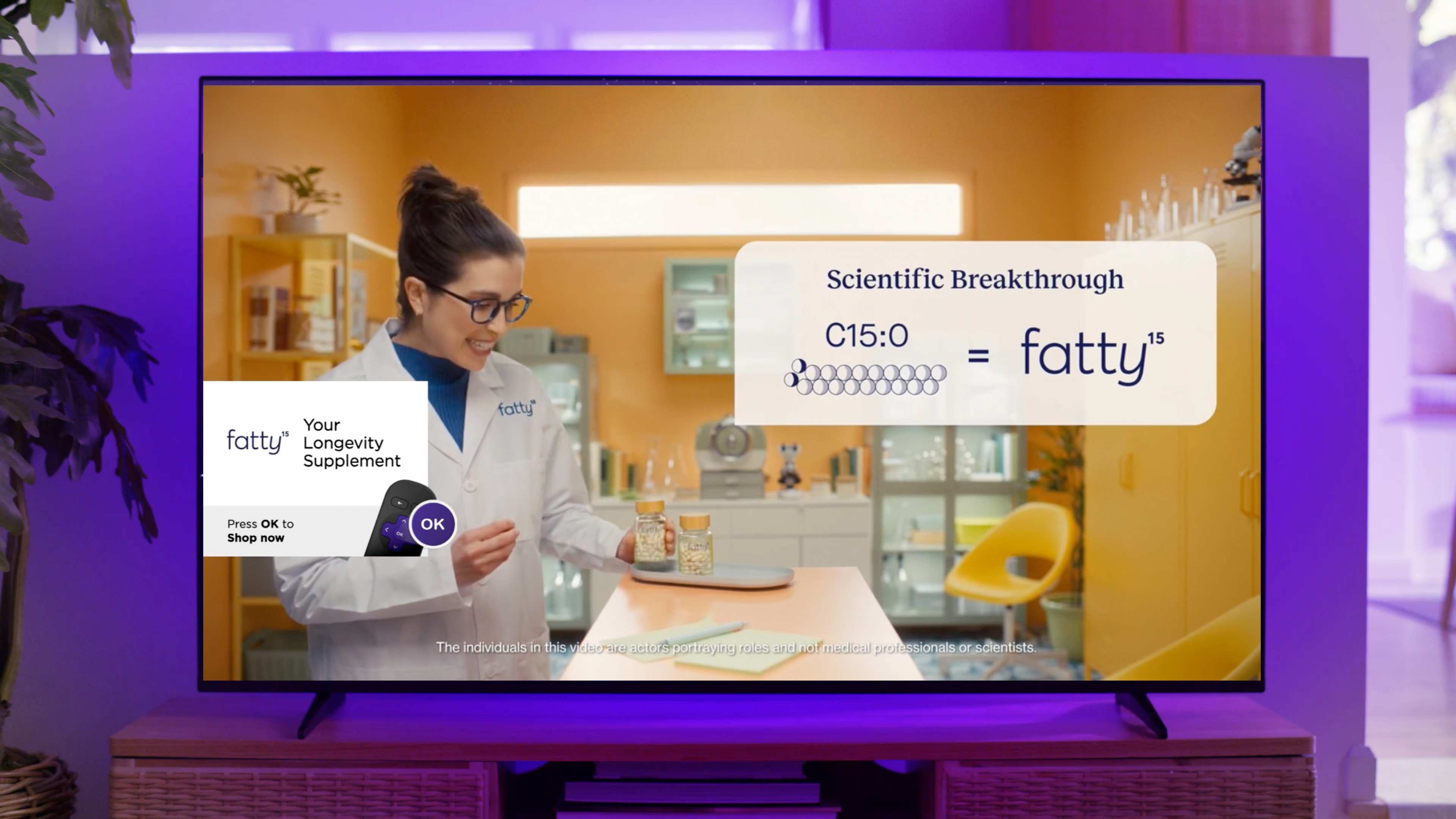
Spaceback: Through Roku’s partnership with Spaceback, brands can transform top-performing social assets into CTV-ready video with interactive end cards or QR codes.
Technical requirements
- Length: 6–92 seconds
- Formats: .mov or .mp4
- Max file size: 1 GB
Review process
- Technical review to confirm specifications are followed
- Manual content review (2-3 days)
- Approval and publication
How Rollo upscaled social assets
After videos of its thermal, inkless printers went viral, Rollo used Roku Ads Manager and Spaceback to convert social assets into TV-ready creative. By adding interactive overlays, viewers could learn more or shop directly from their TV.
The result: Rollo reduced cost-per-site-visit by 76% compared to other non-streaming creative,
"Working with Roku and Spaceback has been a game changer for Rollo,” said Aaron Gomeztrejo, Programmatic Consultant at Rollo. “Their partnership enables us to instantly transform our highest performing social videos into CTV assets for free, meaning more budget towards media and less towards production. Not only was this a cost-effective creative solution, but a quick and seamless process with performance results that exceeded our expectations."
Bottom line
Launching Roku ads is accessible, flexible, and measurable regardless of your brand’s budget. You can launch quickly, control your spend, and use real performance data to ensure success.
Ready to test it out?
Curious what a $500 test campaign could look like for your brand? Sign up for Roku Ads Manager or dive into our beginner’s guide: How to Get Started With Roku Ads Manager.