.png?width=600&height=360&name=image%20(15).png)
In this article:
- TV streaming and holiday shopping spike at the same time, creating a valuable opportunity for advertisers.
- Roku Action Ads empower viewers to shop, learn more, or set a reminder directly from their TV.
- Shopify + Roku Pay take viewers from product discovery to on-screen checkout with just a few clicks of the remote.
Streaming TV offers a smarter way to compete for shopper attention.
Launching a standard CTV video ad is a strong first step. A shoppable Action Ad goes further by giving viewers an immediate way to respond to what they see on TV. They can request information, sign up for a newsletter, set a reminder, or make a purchase, then return to the show or movie they were watching.
Interactive TV is still relatively new for many marketers. This guide explains how to use Roku Action Ads to stand out and drive action this holiday season.
What is a shoppable CTV ad?
In the past, TV ads ran in one direction. Remind viewers about your brand often enough, and they might buy it next time they’re at the store.
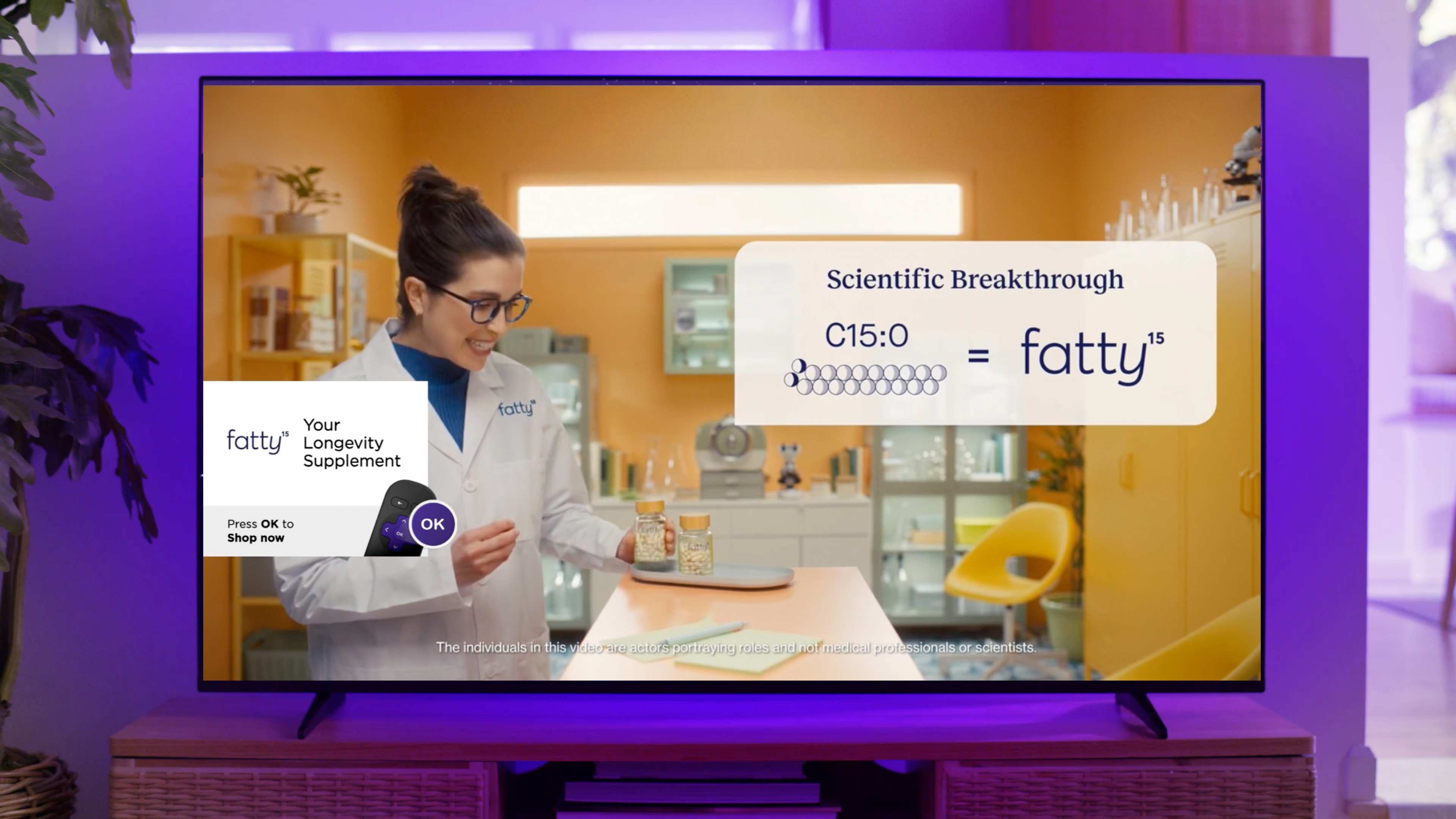
Shoppable CTV changes the paradigm. These interactive streaming ads let viewers take action using their Roku remote. An on-screen prompt asks them to press OK to receive a text, request information, set a reminder, or shop directly.
.png?width=1783&height=1002&name=image%20(7).png)
A pizza restaurant might use Action Ads to promote 50% off delivery. A fashion brand could invite viewers to sign up for notifications about product drops. A CPG brand might feature a deal on household essentials. In each case, the goal is the same: give viewers a simple way to act while interest is high. It’s much more effective than hoping they remember to search for the brand later. Action Ads reduce the friction between “I want that” and “I’ll buy that.”
On Shopify, merchants can even connect their stores so eligible shoppers’ payment and shipping information is prefilled. After someone converts, they can track key campaign metrics in their Shopify dashboard.
Goodbye awareness play. Hello measurable outcomes.
Why shoppable CTV works during the holidays
Streaming TV has become part of the holiday ritual for many households. In 2025, Roku users streamed 33.8 billion hours between October 1 and January 15, according to Roku Internal Data.
For advertisers, shoppable CTV ads bring those behaviors together in an engaging format designed to capture attention and encourage action. Compared with standard Roku video ads, Action Ads drive a 47% lift in purchase intent and a 31% lift in brand awareness. They also deliver a three-times-lower cost per acquisition and generate 4.5 times more goal actions per campaign.1
Because Action Ads are still relatively novel, they can also encourage viewers to spend more time engaging with the ad. Roku found a 96% correlation between on-screen dwell time and conversions, with an average dwell time of approximately 24 seconds.1
How to create a shoppable holiday CTV ad
1. Connect your Shopify store
Install the Roku Ads app in Shopify and connect it to your Roku Ads Manager account. You can sync your full product catalog or select the products you want to promote.
To enable checkout through Roku Pay, activate Shopify Payments. Merchants that do not enable on-screen checkout can still use an Action Ad to send viewers an SMS link for mobile shopping. Before launching, confirm that product names, prices, availability, and landing experiences match what appears in the ad. Holiday shoppers already have enough tabs open.
2. Design for action
Do not make viewers guess what to do. Tell them clearly to press OK.
Ads that include a direct voiceover prompting viewers to use their remote have a 20% higher response rate. It may be tempting to add a QR code, but Roku viewers are 118 times more likely to press OK than scan one.2
3. Choose the right Action Ad
Start with the campaign goal, then select the format that gives viewers the most useful next step.
A beauty brand promoting a limited-edition gift set may want viewers to check out immediately. A furniture company selling a higher-consideration item might send a product guide or offer. An electronics brand teasing a Cyber Monday deal could invite viewers to set a reminder.
The format should follow the buying decision, not the other way around.
| Action Ad format | What it does | Best holiday use |
| Ok-to-checkout | Lets eligible Shopify customers purchase on screen using Roku Pay | Cyber 5 offers, gift bundles, and impulse-friendly products |
| Ok-to-Text | Sends information, a link, or an offer for later action | Gift guides, promotional codes, lead generation, and considered purchases |
4. Target your holiday viewers
Use Roku’s available audience data, your own customer or event data, and available third-party segments to focus the campaign. For example, a pet brand could reach known pet owners on Roku with ads for a collection of holiday stocking stuffers.

5. Time the campaign to the season
Use October to test creative, introduce products, and build consideration before the shopping rush reaches full speed.
Scale the strongest offers during Cyber 5, when viewing and buying activity converge. In December, shift the message toward product availability, shipping deadlines, digital delivery, or local pickup.
Keep the campaign active into Q5, too. Consumers are still using gift cards, browsing post-holiday sales, buying what they did not receive, and shopping for New Year’s goals.
6. Measure and optimize
Track events such as page views, sign-ups, cart additions, and purchases. Use those signals to support reporting and ongoing optimization.
When one gift bundle drives more cart activity, give it greater prominence as the season progresses. When one audience segment responds more efficiently, adjust delivery accordingly. When viewers see the ad but do not act, revisit the offer or call to action.
Learn more in our blog post: How Action Ads Work: Turning TV Viewers into Buyers
Shoppable holiday creative best practices
Make one clear ask. A product demo, discount, gift bundle, or limited-time offer is easier to act on than trying to communicate the full brand strategy.
Tell viewers what to do. Use a clear visual and verbal prompt to press OK. Do not assume the interactive element will explain itself.
Design for the television. Use bold visuals, legible text, and a benefit viewers can understand from across the room.
Use urgency with purpose. Shipping cutoffs and Cyber 5 deadlines can motivate action, but only if the offer resonates. Not every promotion needs a ticking clock.
Keep the handoff consistent. Whether viewers check out on screen or receive a mobile link, the product, price, and offer should match what appeared in the ad.
Check out our blog post: Shopify + Roku Ads Manager: Step-by-Step Guide
How much do Roku Action Ads cost?
Jennifer Aniston’s haircare brand LolaVie used Roku Action Ads as the cornerstone of a campaign that achieved a 40% lift in sales and a 53% increase in new customers year over year.
DTC wellness brand fatty15 paired Roku Ads Manager with Shopify-enabled shoppable overlays. More than one in four cart additions converted into purchases, while the campaign generated a reported 120% return on ad spend.
These examples show why shoppable CTV is gaining attention from performance marketers. The television can still do the big-screen work of building interest and telling a story. Now it can also give viewers a direct way to respond.
Ready to start?
Interested in testing shoppable ads for your brand? Sign up for Roku Ads Manager or learn more in our master blog post: How to Get Started With Roku Ads Manager.
Start building your shoppable campaign with Roku Ads Manager now.
1Roku Internal Data, 2025
2Kantar, Normative average from Roku campaigns; 2022-2024