- Buying streaming ads one app at a time can mean separate contracts, creative specs, minimums, dashboards, and measurement systems.
- Roku Publisher Media unifies in-stream video inventory from the top 100+ apps.
- Roku campaigns support self-serve, managed, or programmatic buying paths.
Why is advertising across streaming apps so complicated?
Audience attention is scattered across many streaming services.
The average household uses 9 different streaming apps annually*, and 46% say they subscribe to more services than they did a year ago. For viewers, that means more choice. For advertisers, it’s a big mess.
Buying ads on each app separately makes it hard to see the full campaign picture. Reach and frequency are tracked in different places. Reporting is fragmented. Optimizations happen within publisher silos, making holistic frequency management all but impossible.
Roku can help marketers reach audiences across the streaming journey without building a separate campaign for every service.
How do you advertise on Netflix, Hulu, Max, Disney+, and other streaming services?
Advertisers have a few routes into streaming:
1. Buy directly from an individual publisher
This works best when a particular publisher, audience, or content environment is central to the campaign. Know your customers are glued to a specific sports network or streaming hit? A direct buy may make sense.
The trade-off is that every new publisher can add another layer of setup, reporting, and optimization. And you’re stuck with reaching that audience on just one part of their long and winding streaming journey.
Roku gives advertisers two more ways in: The first consists of platform-level opportunities, including placements on the Roku Home Screen, in Roku City and more. The second is Roku Publisher Media, which offers a buying path to the top 100 publisher partners. Let’s take them in turn.
2. Buy at the platform level to reach viewers across streaming apps
Advertising at the platform level offers brands a multitude of ways to reach viewers before they settle on what to watch next, or during breaks between content.
Greet them with a bold Home Screen takeover or Spotlight Ad, draw them into a branded destination, or catch their attention with a pause ad as they step away for a snack. Embed your brand within Roku City, our cinematic screensaver packed with movie references, or sponsor a Roku Sports experience built around the games fans are already looking for.
Together, Roku’s native, video, destination, and interactive formats give marketers more ways to earn attention throughout the streaming journey, not just during commercial breaks.
3. Buy Roku Publisher Media
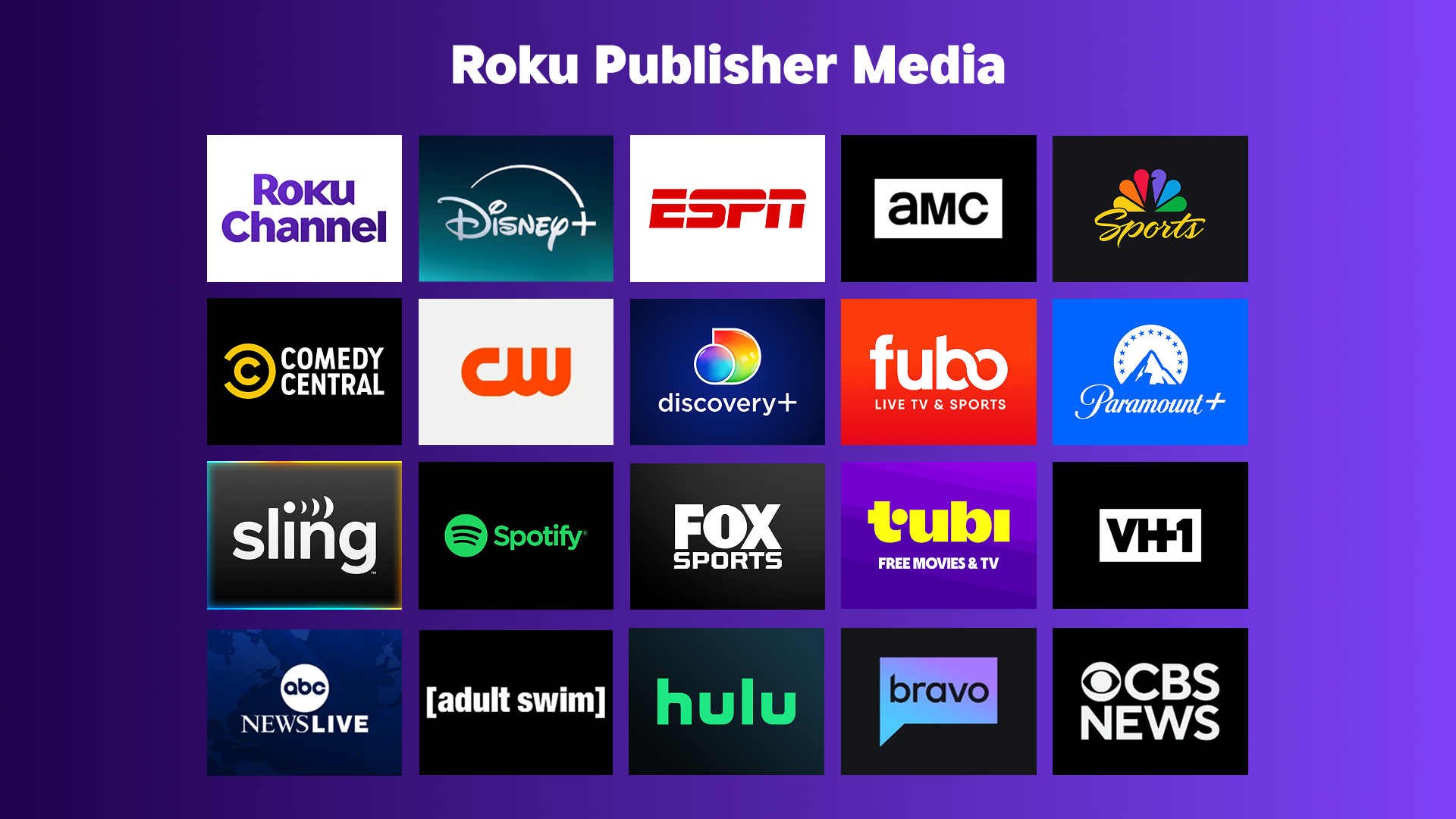
Buying Roku Publisher Media brings your in-stream video inventory to 100+ participating apps into one campaign. That includes stalwarts such as Hulu, Max, Disney+, Paramount+, ESPN, Tubi, and The Roku Channel, as well as up-and-comers like Sensical and Pluto TV.
Some publishers, like Netflix, opt to sell their own advertising inventory. In these instances, running ads within those environemnts requires buying directly. Roku, as a solution, offers platform-level visibility, enabling advertisers to surround Netflix viewers from the second they power on their TV and as they travel across the OS.
Here’s how a unified Roku campaign compares with buying apps a la carte:
|
Marketing consideration |
When bought separately |
When bought through Roku |
|
Setup |
Multiple publisher relationships |
Consolidated setup |
|
Audience strategy |
Defined separately by app |
One coordinated approach |
|
Creative |
Requirements and deliverables may vary |
Centralized management and quick ways to transform digital content into CTV formats |
|
Reporting |
Separate publisher reports |
Unified view across all publishers in one report |
|
Reach and frequency |
Harder to coordinate, dedupe, and control across publishers |
Greater control across eligible inventory |
|
Optimization |
Changes made app by app |
One campaign workflow across all apps |
|
Buying options |
Vary by publisher |
Self-serve, managed, or programmatic |
|
Scale |
One publisher at a time |
Roku plus 100+ participating apps |
How does Roku make it easy for advertisers to reach streaming viewers?
Nearly half, or 47%, of TV streaming in the U.S. happens on a Roku device. For more than 100 million households worldwide, the Roku Home Screen is where people ask the daily question: what are we watching?
This broad reach allows us to connect advertisers with any audience segment that matters to them. The median Roku user is 45, but the audience spans evenly from adults ages 18–24 through those over 55. Household income is similarly broad: 27% earn under $50,000, 35% earn between $50,000 and $99,000, and 38% earn $100,000 or more.
In other words, there is no single “Roku viewer." The audience looks a lot like America because it is America, spread across regions, generations, and income levels. To connect with the right people, advertisers can use Roku Publisher Media to align campaigns with participating apps, genres, programming, content ratings, contexts, and audience segments.
The point is not to chase individual viewers from app to app. It is to build a coordinated audience strategy that can travel across multiple viewing environments.
How do you buy Roku advertising, and can you do it yourself?
Roku offers three main buying paths: self-serve, managed, and programmatic.
For advertisers who prefer to take the controls themselves, Roku Ads Manager provides a self-serve CTV advertising platform designed to feel familiar to marketers who already buy search or social. Campaigns can start with a budget as low as $500.
The setup follows a straightforward flow:
1. Choose your audience and campaign objectiveWhat if my ads are not optimized for TV?
Already have digital video creative? Roku Ads Manager includes AI-powered video upscaling that can help prepare lower-resolution assets for the TV screen. Advertisers can also connect Shopify, explore interactive Action Ads, and track the performance metrics that matter most to their business. Roku Ads Manager also has creative partnerships to help make tv-ready ads from scratch.
Action Ads, for example, invite viewers to use their Roku remote to request more information or shop for products. That turns the TV from a passive screen into a more direct path to action.
Advertisers with more complex needs can also work with Roku specialists or buy programmatically. The buying method may differ, but the strategic goal stays the same: reach the right streaming audiences without building a maze of disconnected campaigns.
One campaign can go much further than one app
Streaming audiences do not stay put. They move from sports to romcoms, from free content to subscriptions, and from one app to the next without thinking twice.
Advertisers should not have to rebuild their strategy every time viewers change the channel.
With Roku, marketers can reach households across the platform and run in-stream video ads across the top 100+ participating apps through a more coordinated campaign.

.png?width=1601&height=901&name=new_how-to-win-the-holidays-1601x901%20(1).png)